

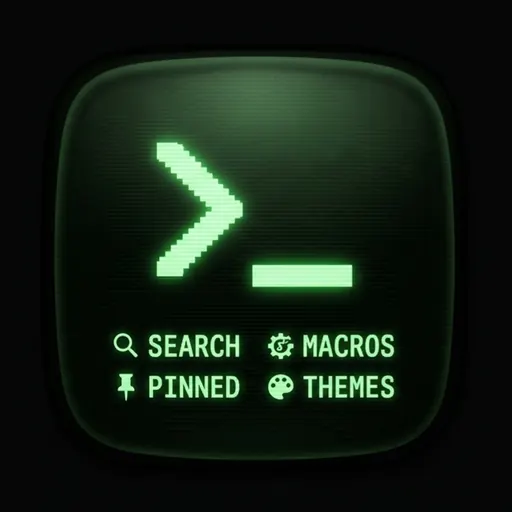
Download Command Line Launcher APK
Screenshots
- Version
- 2.4
- Size
- 1.9 MB
- Added
- Requires
- Android 13+
- Developer
- SageHuz
- Category
- Personalization
About this app
Command Launcher — your Android HOME, shaped like a shell. Tired of endless icon grids? Command Launcher turns your default launcher into a fast, minimal terminal-style home: type a few letters, tap a result, or fire a one-tap macro. Built for power users, developers, and anyone who wants speed over clutter. WHAT YOU GET • Type-to-launch — Search installed apps by name; bare text runs a smart search. • Terminal vibe — Phosphor, CRT amber, and Matrix-inspired palettes. • Command bar + history — Recall recent commands with ↑ / ↓; session-friendly workflow. • Macro shortcuts — One tap for help, settings, Wi‑Fi, Bluetooth, sound, wallpaper, and more. • Pinned apps row — Keep daily apps above the macro bar; long-press list rows to pin, long-press pins to remove. • Notification badges (optional) — Enable notification access for Command Launcher to show live per-app counts on pinned chips (same path as Android’s notification listener settings). WHY PEOPLE SWITCH • Faster than hunting icons — Muscle memory beats scrolling pages of apps. • Distraction-light — No widgets maze; focus on what you open next. • HOME replacement — Set as default launcher for a consistent “command home” experience. WHO IT’S FOR Developers, CLI fans, productivity nerds, and minimalists who still want full access to every launchable app on the device. GETTING STARTED Set Command Launcher as your default HOME app, type `help` or tap the Help macro, then try `apps`, `search`, or just type an app name fragment.
We’re actively improving Command Launcher — your ratings and feedback help shape the roadmap.
How do I download Command Line Launcher?
Is Command Line Launcher free on AppLoko?
What is the current version of Command Line Launcher?
What Android version does Command Line Launcher need?
What category is Command Line Launcher in?
What should I do if Command Line Launcher will not install?
Is it safe to download Command Line Launcher from AppLoko?
Similar apps
All



Personalization
All ThemePro - Widget & WallpaperPersonalization
 Themely - Icons & WidgetsPersonalization
 Walli - Stunning 4K WallpapersPersonalization
 Niagara Launcher ‧ Home ScreenPersonalization
 CMM LauncherPersonalization
 Action Launcher: Pixel EditionPersonalization
 4K Wallpapers - Auto ChangerPersonalization
 Microsoft SwiftKey AI KeyboardPersonalization
 Yandex Browser with Alice AIPersonalization
 Facemoji AI Emoji KeyboardPersonalization
Popular
 Google ChromeCommunication
 Google MapsNavigation & Maps
 Google DriveProductivity & Office
 Google CalendarProductivity & Office
 YouTube MusicMusic & Audio
 Google AssistantProductivity & Office
 Facebook LiteSocial Networks
 Samsung BrowserCommunication
 Mi MusicPhoto & Video
 TelegramCommunication
 LinkedIn: Community & NetworkProductivity & Office
 Samsung HealthHealth & Fitness