
Is X Icon Changer Safe?
X Icon Changer is not malware: 0 of 74 antivirus engines flag it. It makes home-screen shortcuts, shows ads and shares ad data. What it asks for and when a rival is better.
Is X Icon Changer safe? As a file, yes: VirusTotal scanned the 4.5.6 APK in our catalog on Sep 16, 2026 and 0 of 74 engines flagged it. That verdict does not cover version 4.5.8 on Google Play, which we did not check. The weak side is privacy: by the developer's own Data safety form, the app shares data with advertisers without encryption.
- Who it suits: people who want a new picture and name for a few apps without switching launchers.
- Price: free with ads; in-app purchases at $1.99 per item (US store).
- The catch: the new icon is a shortcut, and the original stays in the app list. Phone number, approximate location and device IDs may go to third parties, with no way to request deletion. Parents: a child can hide a game behind another picture; a 13-year-old reviewer recommends the app for that.
How it changes an icon
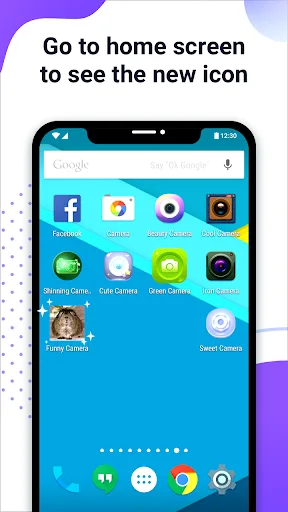
X Icon Changer does not touch the app you pick. Per its Google Play description, it creates a home-screen shortcut with the new icon. Tap it and the original app opens.
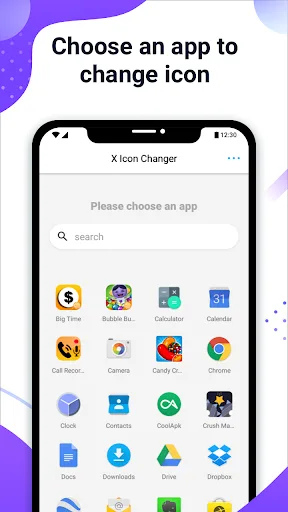
- Since Android 8.0 an app cannot add a shortcut silently: the launcher asks you to confirm. The app also installs on Android 6 and 7; shortcut behavior there and on phone makers' launchers is untested.
- The developer warns that Android 8.0 and newer adds a "watermark" to shortcut icons and suggests its widget as a workaround.
We did not install the app: the watermark on Samsung, Xiaomi or Pixel launchers is untested.
Permissions in the APK
Version 4.5.6 in our catalog declares 90 permissions, most of them launcher entries.
| Group | What is in it | Why |
|---|---|---|
| Launcher settings, 56 of 90 | Read and write for Samsung, Xiaomi, Huawei, Oppo, Vivo, OnePlus, LG and others | Not tested |
| Dangerous, 3 | Camera, storage write, notifications | Camera: a photo for an icon. Storage and notifications: not tested |
| List of installed apps | QUERY_ALL_PACKAGES | It sees every installed app |
| Advertising | Advertising ID, AdServices topics, attribution, custom audience | Ad targeting |
The rest: billing, boot start, internet. No access to contacts, SMS, microphone, call log or location. The manifest allows unencrypted HTTP.
Ads, purchases and data
| Check | Result |
|---|---|
| Google Play labels, Nov 26, 2026 | "Contains ads", "In-app purchases", $1.99 per item (US store) |
| Ad SDKs | AppGoblin counts 18 ad-network SDKs, including Google, Facebook, AppLovin and Unity |
| Data safety: shared | App activity, approximate location, purchase history, phone number, device IDs, for advertising and analytics |
| Data safety: security | Data is not encrypted in transit. No way to request deletion |
| Privacy policy | Dated Feb 2, 2021. Deletion by email and only in cases set by law |
A phone number in the "shared" list is odd: the manifest has no SMS permission. Approximate location probably comes from the IP address, which we did not verify. We captured no network traffic, so the source of the number is unknown.
Who makes it
- ASTER PLAY PTE. LTD., Singapore. On Google Play since Aug 14, 2019.
- Google Play, Nov 26, 2026: 50M+ downloads, rating 4.3 from 685K reviews, updated Nov 25, 2026, rated Everyone.
- The Google Play address differs from the one in the privacy policy. The support phone starts with +86, China's code.
What users complain about
- After a phone update widget icons stopped working, and a paid ad-free version showed ads again with no way to restore it (May 1, 2025; 113 found it helpful).
- Not every app can get a new icon (Mar 10, 2026).
- A reviewer who claims to be 13 recommends the app for hiding games from a parent (Nov 22, 2026). Google Play rates it Everyone; the developer's policy says it does not knowingly collect data from children under 16.
Bark's "Icon Changer" review, which shows up in search, covers a different app.
What to do if it is already installed
- Open Settings → Apps → X Icon Changer → Permissions and deny the camera unless you make icons from photos. Menu names vary by manufacturer.
- Reset or delete your advertising ID in Google settings, under Ads.
- Not using it? Uninstall it and remove any leftover shortcuts by hand; we did not check this.
- Parents: compare shortcuts with Settings → Apps, where apps appear under real names.
Where a rival is better
| APK in our catalog, Nov 26, 2026 | Method | Permissions | Dangerous | Unencrypted HTTP allowed |
|---|---|---|---|---|
| X Icon Changer 4.5.6 | Shortcuts and widgets | 90 | 3 | Yes |
| Icon Pack Studio 2.4 | Icon pack applied by the launcher | 18 | 1 | No |
| ThemeArt 1.1.9 | Themes, widgets, icons | 39 | 9 | Not checked |
| Themes: Widgets & Icon Changer 1.9.0 | Themes, widgets, icons | 40 | 8 | Yes |
Icon Pack Studio from Smart Launcher Team is better if your launcher supports icon packs: it restyles the real icons, and its only dangerous permission is notifications. It still reads the installed-app list. X Icon Changer wins for one or two custom icons on a stock launcher, and it asks for less than ThemeArt and Themes: Widgets & Icon Changer; both request the microphone and location.
How to install
- Catalog version: 4.5.6. Google Play already has 4.5.8.
- Android 6.0 or newer.
- About 38 MB.
The APK is on the X Icon Changer page on AppLoko. Signed with the AppLoko key, it will not install over a Google Play copy: remove that first. Purchases in this build are untested.
Sources
- Google Play: listing, Data safety and reviews, Nov 26, 2026
- ASTER PLAY privacy policy, Feb 2, 2021
- AppGoblin: SDKs in io.hexman.xiconchanger
- VirusTotal report for the 4.5.6 APK
- Android Developers: pinned shortcuts
- Bark: Icon Changer (a different app)