
What Is HiOS Launcher and Can You Remove It?
HiOS Launcher is the stock home screen on Tecno phones, made by Transsion. You can replace it; we did not verify removal on a Tecno. Labelled "Contains ads" on Google Play.
What is HiOS Launcher? It is the stock home screen app on Tecno phones: it shows the home screen, icons, folders and app drawer. The developer is Transsion Holdings, owner of Tecno, Infinix and itel. It is not malware: a VirusTotal scan on Sep 7, 2026 returned 0 detections from 75 engines.
- Who it suits: Tecno owners happy with the stock home screen.
- Price: no in-app purchases label on Google Play; the listing carries "Contains ads".
- The catch: Android Help says some preinstalled apps can only be disabled, not uninstalled; unchecked on a Tecno. The manifest lists 78 permissions, including location and the advertising ID. How to turn off the feed in HiOS 16 is unconfirmed.
HiOS, XOS and itelOS: whose launcher is it?
Transsion has three phone brands and three Android skins. The launcher is named after the skin.
| Brand | Skin | Launcher |
|---|---|---|
| Tecno | HiOS, since April 2016 | HiOS Launcher, package com.transsion.hilauncher |
| Infinix | XOS | XOS Launcher, package com.transsion.XOSLauncher |
| itel | itelOS | Its own launcher |
XOS Launcher is the same thing for Infinix. A Mobile-Review article from Aug 9, 2022 called HiOS and XOS nearly identical: the icons and a couple of menu names differ.
Google Play on Nov 26, 2026: "HiOS Launcher - Fast", 500M+ downloads, a 4.1 rating from 786K reviews, updated Nov 17.
Do not mix up two numbers: 13.9 is the launcher app's version; HiOS 16 is the version of the phone's skin.
What it does besides icons
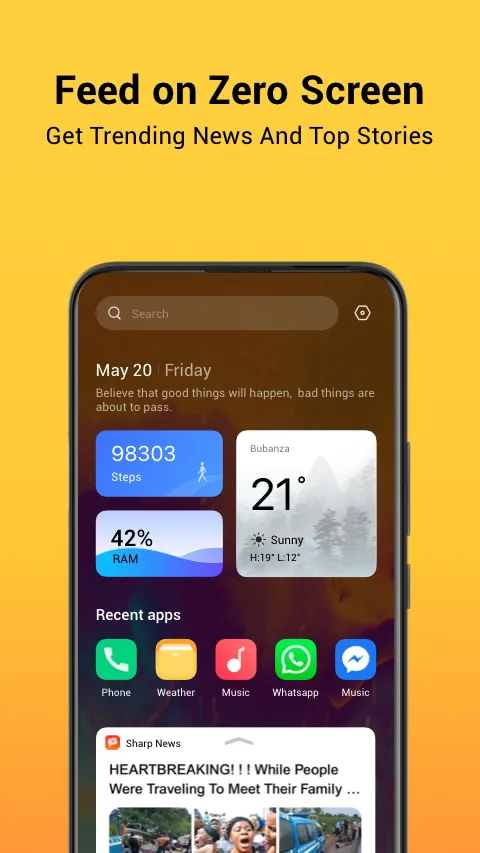
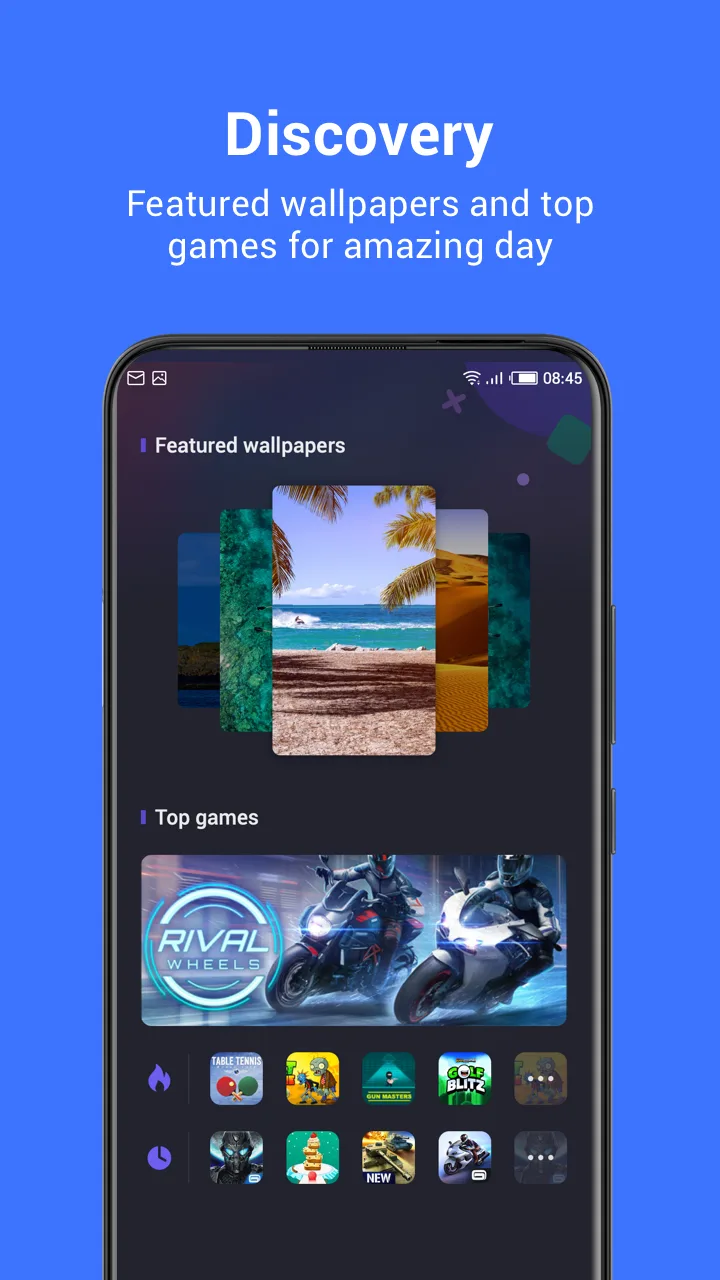
The Google Play description lists a news and games feed on the Zero Screen, Smart Scene song suggestions, a Discovery section with wallpapers and games, themes, a font preview and Freezer, which freezes apps.
Ads and app recommendations
The "Contains ads" label is still on the listing. We did not check where ads appear in launcher version 13.9; a Nov 23, 2026 review says its author sees none.
In October 2018 Techpoint Africa described ads in the HiOS launcher: the Instant Apps block and the second row of the favourites shelf. Its fix: long-press the home screen, open Other settings, switch off Application recommendation. In 2022 Mobile-Review wrote that app ads were gone in HiOS 8.6. We did not check what the toggle is called in HiOS 16. The same article says the Zero Screen can be switched off in settings but gives no path; we did not check one.
Can you uninstall HiOS Launcher?
We did not check this on a Tecno. Android Help says store apps can be uninstalled, while some preinstalled system apps can only be disabled, depending on the phone. Whether Disable is active for HiOS Launcher, and what happens afterwards, we did not check either. We did not test ADB removal and do not recommend it.
What works is making a second launcher the default.
- Install another launcher.
- Open Settings, App Management, Default Apps, Home App.
- Pick the new launcher.
The path is from a TechArena guide for HiOS 7.6. Newer versions may use other names.
"HiOS Launcher is not responding": what to do
We found no official Tecno page about this error. The steps come from Android Help for any app that stops responding; menu names depend on the phone.
- In Settings, open HiOS Launcher and tap Force stop.
- Clear the cache: this removes temporary data.
- Last resort: Clear storage. It permanently deletes all app data; you will most likely have to arrange the home screen again (unchecked on a Tecno).
If the error returns, switch to another launcher. Recent Google Play complaints are about other things: Home no longer returns to the home screen (Nov 8), Back does not leave a folder (Oct 30).
Permissions and data
| Check | Result |
|---|---|
| Permissions, version 13.9.048.2 in our catalog | 78 in total, 12 dangerous: precise and approximate location, contacts, calendar, phone calls, photos, video, audio, storage, display over other apps, notifications |
| Advertising | Requests the advertising ID and access to Android's ad topics |
| Network | The manifest allows unencrypted HTTP |
| Data safety (Google Play) | Developer's declaration: no data collected, none shared with third parties |
"No data collected" sits badly with location access and an advertising ID in the manifest.
Where a third-party launcher wins
| Launcher | Permissions | Dangerous | Android | Size |
|---|---|---|---|---|
| HiOS Launcher | 78 | 12 | 9+ | 58 MB |
| Smart Launcher 6 | 34 | 12 | 12L+ | 16 MB |
| Microsoft Launcher | 73 | 15 | 7.0+ | 58 MB |
Smart Launcher 6 asks for 34 permissions against 78 and weighs 16 MB. It needs Android 12L. Microsoft Launcher installs on Android 7.0, so it fits older phones, but has 15 dangerous permissions.
In our judgment HiOS Launcher keeps one argument, the skin's themes; we did not test that on a Tecno.
Installing on a non-Tecno phone
A Tecno already has the launcher: update it through Google Play. For other brands the catalog has version 13.9.048.2: Android 9 or newer, about 58 MB.
The APK is on the HiOS Launcher page on AppLoko. It is signed with the AppLoko key and will not install over the Google Play version: uninstall that one first.
Google Play reviewers say they run it on Samsung and Poco phones. We did not test our APK there. Some manifest permissions belong to Transsion system components, so we cannot confirm that the Zero Screen, themes and Freezer work outside Tecno.
Sources
- Google Play listing and Data safety, Nov 26, 2026
- Wikipedia: HiOS
- Transsion
- Mobile-Review, Aug 9, 2022
- Techpoint Africa, Oct 9, 2018
- TechArena, Jun 2, 2021
- Android Help: cache and data
- Android Help: disabling apps
- Google Play reviews from Oct 30, Nov 8 and Nov 23, 2026