

What Is Galleryit and Why Is It on Your Phone?
Galleryit is a photo gallery with a locked vault from AI Photo Team, Hong Kong. Free to install, with ads, in-app purchases and all-files access.
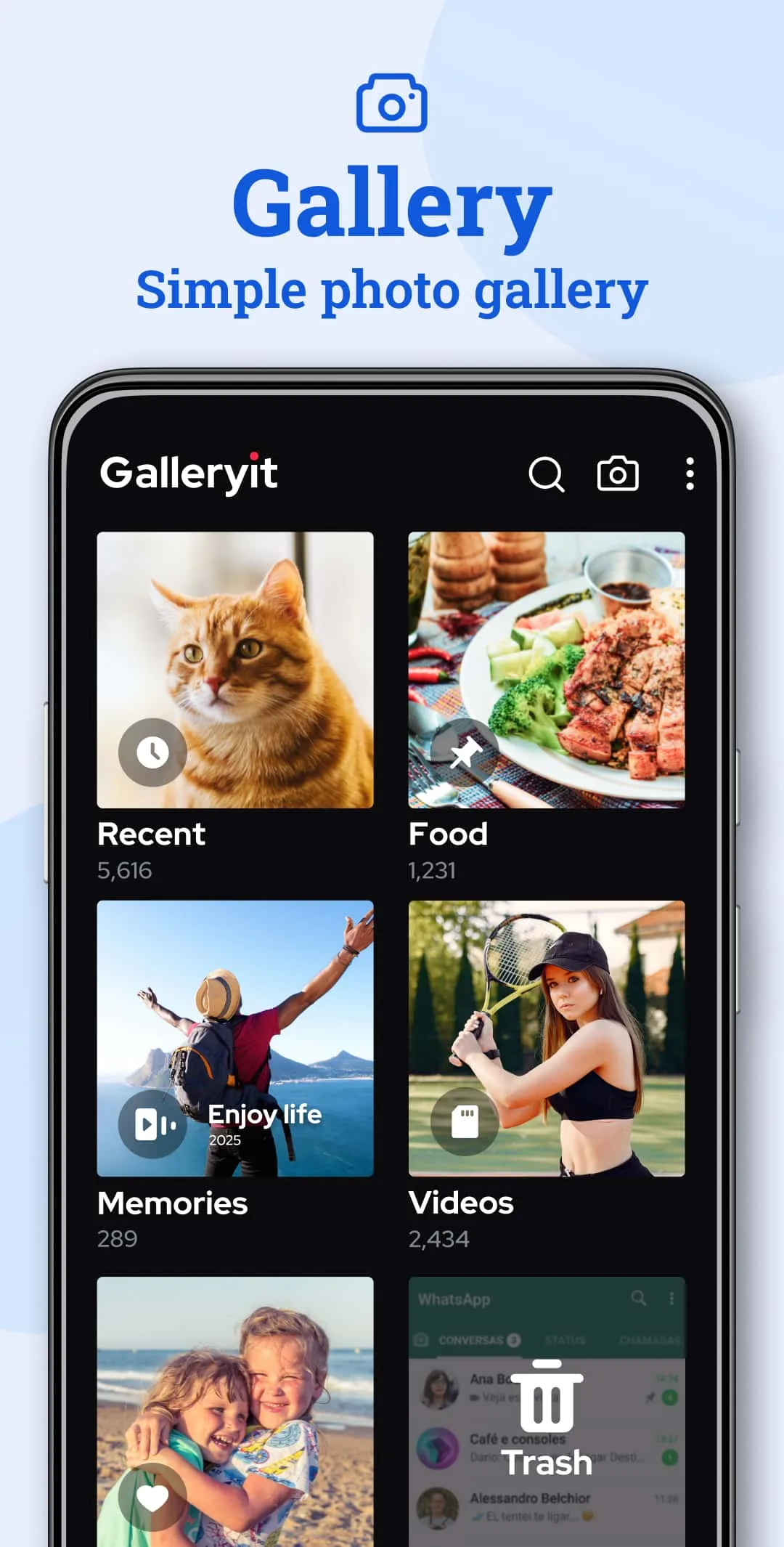
What is Galleryit? It is a photo and video gallery app for Android with a passcode-locked vault, made by AI Photo Team. On Google Play in the US it is listed as "Galleryit - Photo Vault, Album"; in Brazil it is "Galeria - Álbuns de Fotos", so the store name and the in-app name can differ. It is not the phone's stock gallery.
- Who it suits: people who want folders, a recycle bin and a vault locked with a PIN, pattern or fingerprint. Works offline per the description; the policy collects an email for PIN recovery.
- Price: free to install. US Google Play lists in-app purchases at $3.99–$24.99 per item.
- The catch: ads, all-files and location access, and the developer declares location sharing with third parties.
Did it come preinstalled?
We found no source confirming Galleryit ships preinstalled on any phone brand. The Google Play description only says it works on "all Android devices". The APK manifest does request com.adjust.preinstall.READ_PERMISSION, which the Adjust SDK uses to measure preinstall campaigns. That makes the app ready for that channel; it does not show that a manufacturer bundles it.
Perhaps someone searched for "gallery", installed a generically titled app and later saw it open as Galleryit. To check, open Settings > Apps, tap the app and look for the install source.
Who makes Galleryit
| Item | What is on record |
|---|---|
| Developer on Google Play | AI Photo Team |
| Company | BETTER FITNESS LIMITED, 26 Harbour Rd, Wan Chai, Hong Kong |
| Released | Dec 19, 2022 |
| US store figures, Nov 26, 2026 | 50M+ downloads, rated 4.6 from 322K reviews |
| Last update | Nov 7, 2026 |
| Other apps on the same account | iWidgets, File Recovery, UpFoto, Calculator Lock |
The privacy policy, updated Jun 30, 2025, gives no company address, only a Gmail inbox.
Ads and purchases
Google Play labels the app "Contains ads" and "In-app purchases". Among ad SDKs, the privacy policy names only AdMob; it also lists Google Analytics and Google Play Billing. AppGoblin finds eight ad networks in the package and names four: Google, Facebook, AppLovin and InMobi. We did not check what each purchase unlocks.
Photo access and data
| Check | Result |
|---|---|
| Data safety (Google Play, Nov 26, 2026) | Shares approximate and precise location with third parties. Collects crash logs, diagnostics and device IDs. Encrypted in transit; deletion can be requested. |
| Privacy policy | Says it collects no photos, videos or other files; scanning and encryption happen on the device. Location is not mentioned. |
| Permissions, version 1.4.3.0 in our catalog | 34 in total, 8 dangerous: storage read and write, all-files access, precise and approximate location, nearby Wi-Fi devices, camera, notifications |
| Outside the dangerous list | Usage stats for other apps, changing system settings, advertising ID |
| VirusTotal | 0 detections out of 74 engines, Sep 18, 2026 |
A gallery has to read storage. It does not need location. We did not test whether photos still open if you deny it. The Play form declares location sharing; the policy never mentions location.

What users complain about
- Oct 30, US: folders lost their alphabetical order; 1,455 people found it helpful. On Nov 2 the developer called it a known issue.
- Nov 5, Brazil: the app forces many ads before you reach your photos. The developer replied on Nov 9 that ads pay for the free version.
- Nov 19, Brazil: for two days the app only loaded and never opened. The reply suggested other Wi-Fi or mobile data, though the description promises offline use.
- Nov 25, US: endless loading screen; reinstalling did not help, and photos inside the app were unreachable.
Can you uninstall it?
Yes. Galleryit is a regular app, not a system component.
- If you turned on "uninstall protection", the app became a device administrator. Switch it off under Settings > Security > Device admin apps, then uninstall; the path varies by brand.
- Empty the vault first. The description says the protection exists so photos and videos are not lost on uninstall. We did not test what happens to the vault afterwards.
Where other galleries do better
| Galleryit | Gallery (Google) | Google Photos | Gallery (iStrom Apps) | |
|---|---|---|---|---|
| "Contains ads" label | Yes | No | No | Yes |
| In-app purchases | Yes | No | Yes | Yes |
| Data shared | Location | None | None | None |
| Data collected | Crash logs, diagnostics, IDs | None | Location, personal info and 8 more types | None |
| Downloads | 50M+ | 1B+ | 10B+ | 10M+ |
Table data: Google Play, Nov 26, 2026; competitor figures are from the Brazilian store. If ads are your complaint, Google's Gallery wins: no ads, no purchases, declares no data collection. Google Photos, by its description, is handier for cloud backup; Galleryit's description only promises offline use. In our catalog the closest match is Gallery by iStrom Apps: its file is about 33 MB against 55 MB, but it also shows ads and requests 12 dangerous permissions against 8. By its description, Galleryit reads RAW and MKV and has a fingerprint vault.
How to install
- Catalog version: 1.4.3.0. Google Play already showed 1.4.4.0.
- Android 8.0 or newer.
- File size: about 55 MB.
Get the APK on the Galleryit page on AppLoko. The file is signed with the AppLoko key, so it will not install over the Google Play version: empty the vault, uninstall that copy, then install. We did not test purchases in this build.
Sources
- App page and Data safety section on Google Play, US and Brazil, Nov 26, 2026
- Galleryit privacy policy, Jun 30, 2025
- AppGoblin: SDKs in gallery.photogallery.pictures.vault.album
- Google Play reviews dated Oct 30, Nov 5, Nov 19 and Nov 25, 2026
- Google Play pages of Google Photos, Google's Gallery and iStrom's Gallery, same date